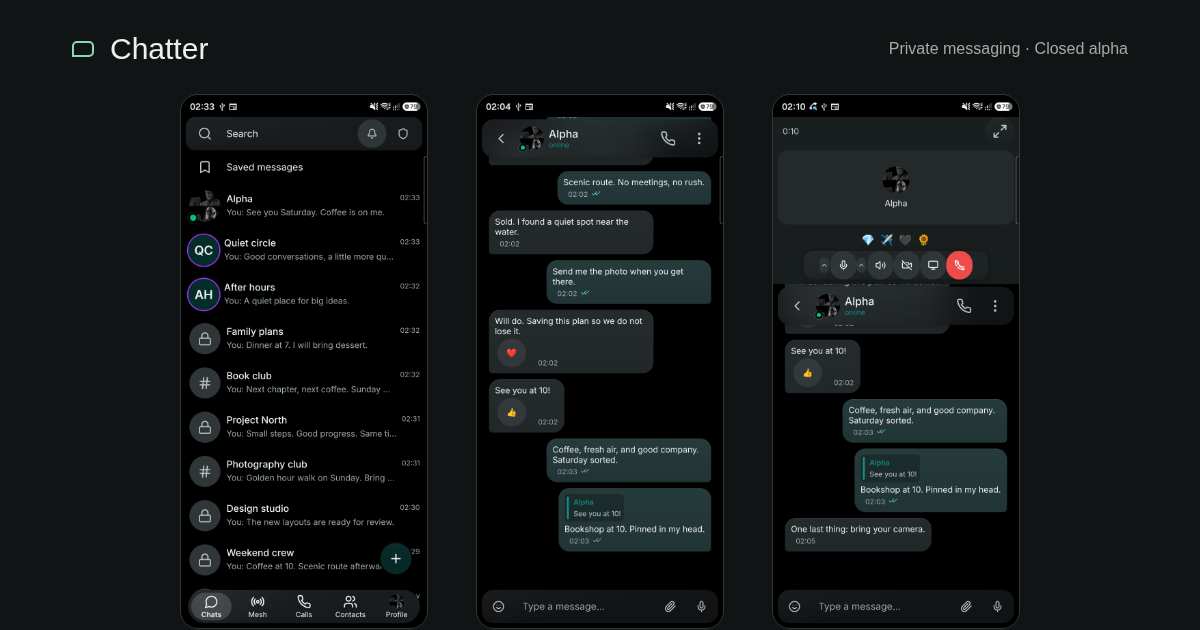
Chatter has reached the point where I can show a conversation between two real phones, place a call, and keep chatting while the call stays open. That is a more useful introduction than a list of protocols.
I’m building Chatter as a personal project: a privacy-focused messenger with a shared Rust client and a Go backend. It is currently in closed alpha. This is a look at what works in the build I’m using, how the pieces fit together, and the boundaries I want to be explicit about before a wider beta.
The screenshots and recordings below come from my own Android devices. The conversations and channels were created for this demo. They are fictional activity, not customer messages or a claim about adoption.
Try the Android build
Android testers can install Chatter v32 from GitHub Releases. Open the release, expand Assets, and download app-release.apk (approximately 107 MB). Open it on your Android device and, if prompted, allow your browser or file manager to install this app.
The signed APK was built in GitHub Actions: release build 42174232033 completed successfully. This is an early testing build; the screenshots below show the builds used for the demos, so small interface differences are possible.
A messenger you can actually use
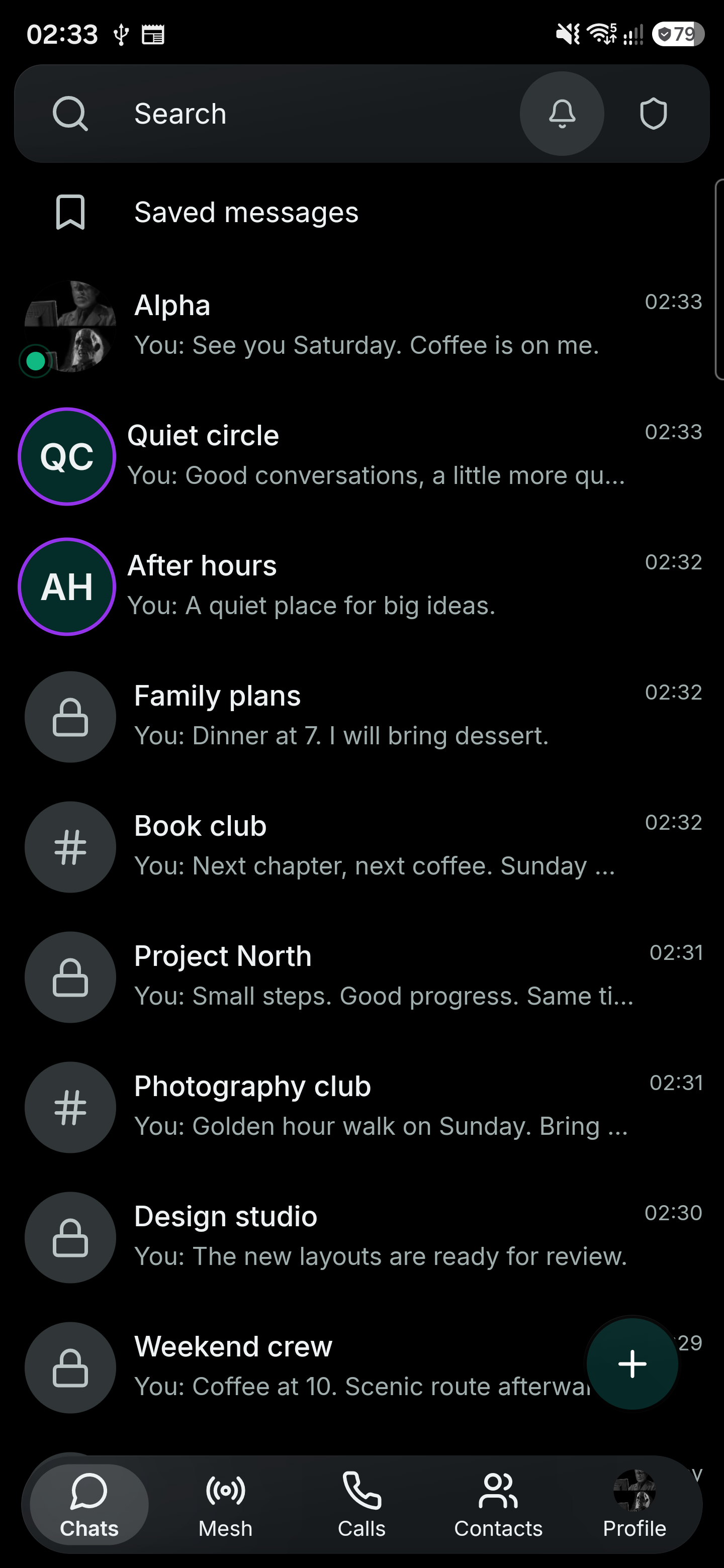
The current interface includes direct conversations, public channels, invite-only private channels, anonymous groups and Saved Messages. Reactions, quoted replies, typing indicators and read receipts make the conversation easier to follow. The home screen brings those different spaces together, with different visual markers for channels, private spaces and anonymous groups.
I recorded message delivery between a Samsung S9+ and an S25 Ultra. The clip shows the receiving phone: a typing indicator appears, the incoming message arrives, and the conversation moves to accommodate it.
These small interactions are where much of the work goes. A protocol can deliver the right bytes while the interface still loses your place, jumps during a reply, or gets in the way of the keyboard. Reliability includes the experience of reading and writing, not just a successful network request.
Photos, GIFs and albums in the conversation
Messages can combine text with a photo or animated GIF, and multiple photos can share one caption. These Saved Messages examples were composed in the app on my S9+. The lake and coffee pictures are AI-generated demo attachments; the app interface and screen recording are real.
Calls belong alongside the conversation
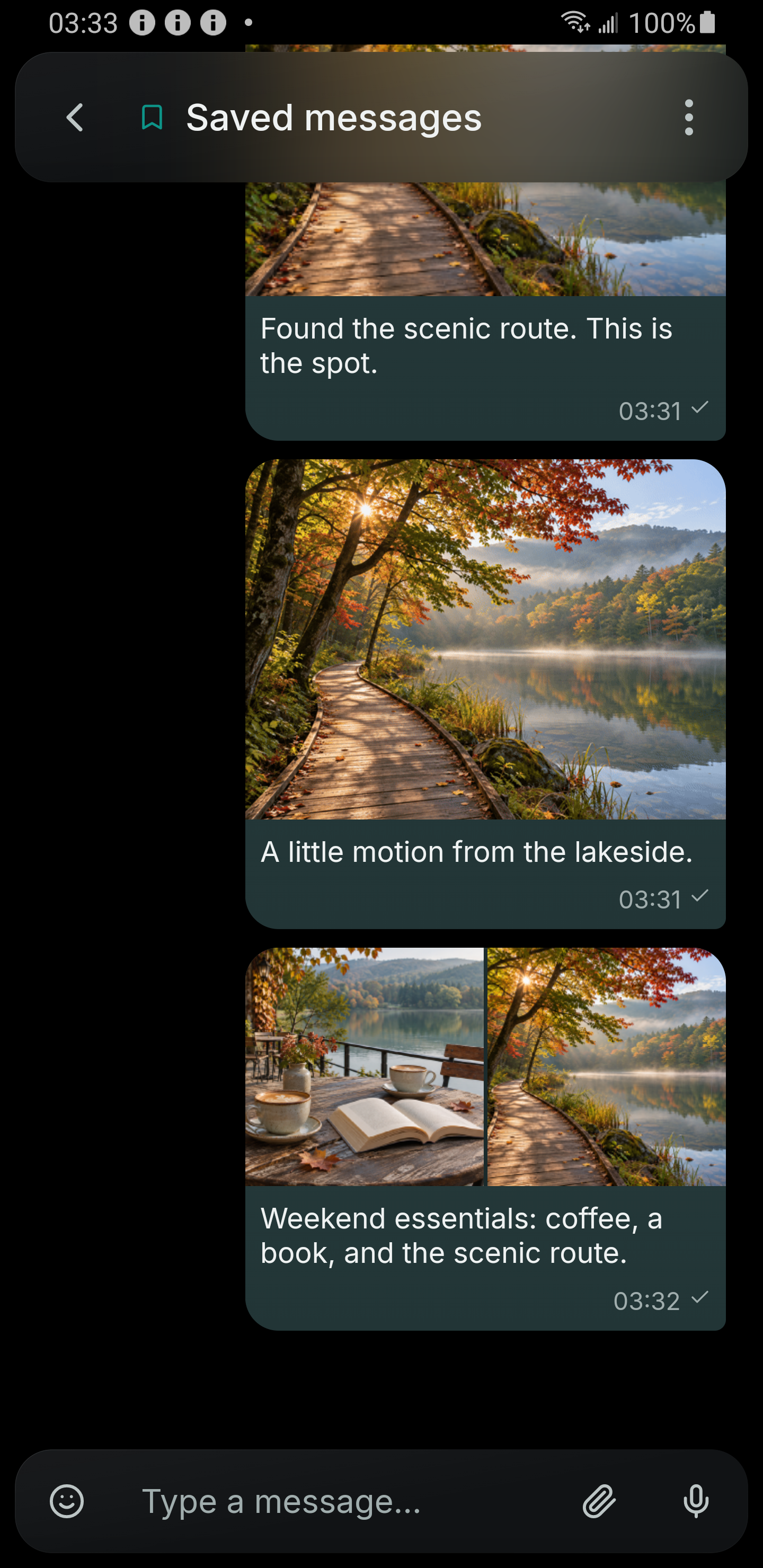
Voice calls are an important part of this build. The screenshots show a connected call between the two test phones, including the elapsed timer and the verification emoji display.
The call can expand to fill the screen or sit above the conversation. I want people to be able to refer to a message during a call without having to choose between seeing the chat and seeing the call controls.
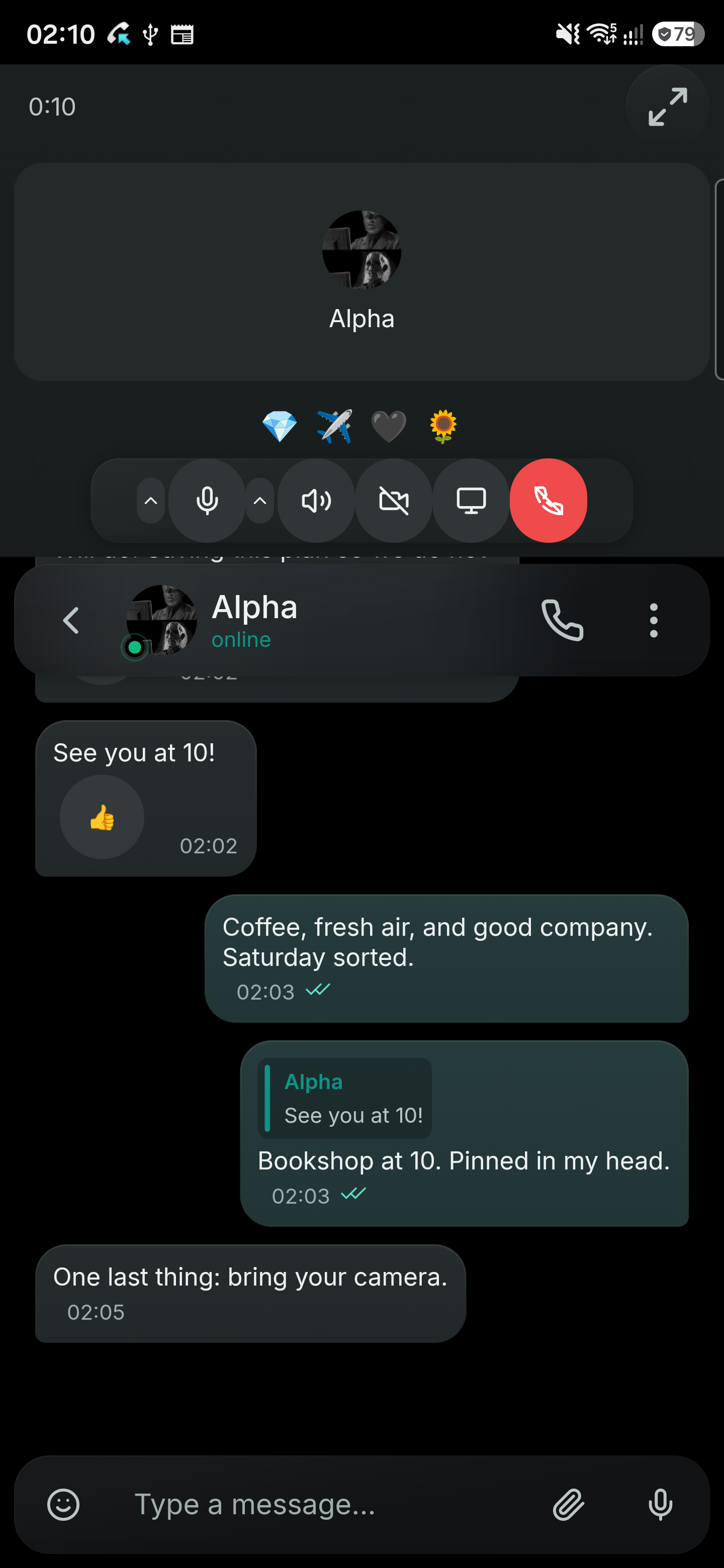
Calls use LiveKit and WebRTC. The app also has platform-specific work around media devices, permissions and audio routing. This recording demonstrates a connected voice call and the interface transitions; it is not an audio-quality benchmark or an independent security assessment.
One client codebase, separate platform builds
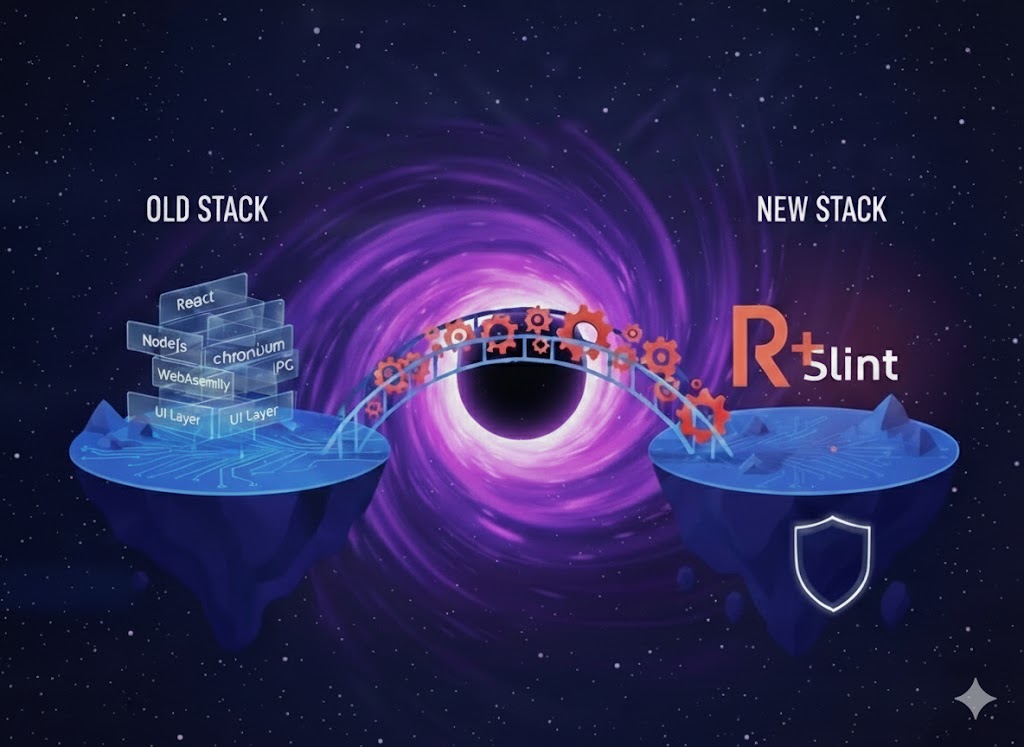
The client is written in Rust, with Slint for the interface. Messaging logic, cryptographic operations, local storage and much of the UI are shared. The same interface can use a compact layout on a phone and a wider layout on a desktop or tablet.
“One client” means a shared codebase compiled for each target. It does not mean that one executable runs everywhere, or that every operating-system integration is portable without work.
The platform layer handles the things the operating system owns: application lifecycle, notifications, permissions, clipboard access, camera capture and audio devices. On Android, a native app shell bridges those facilities to Rust. Desktop builds use the desktop windowing and rendering backend. The iOS target has its own app shell and Rust entry point.
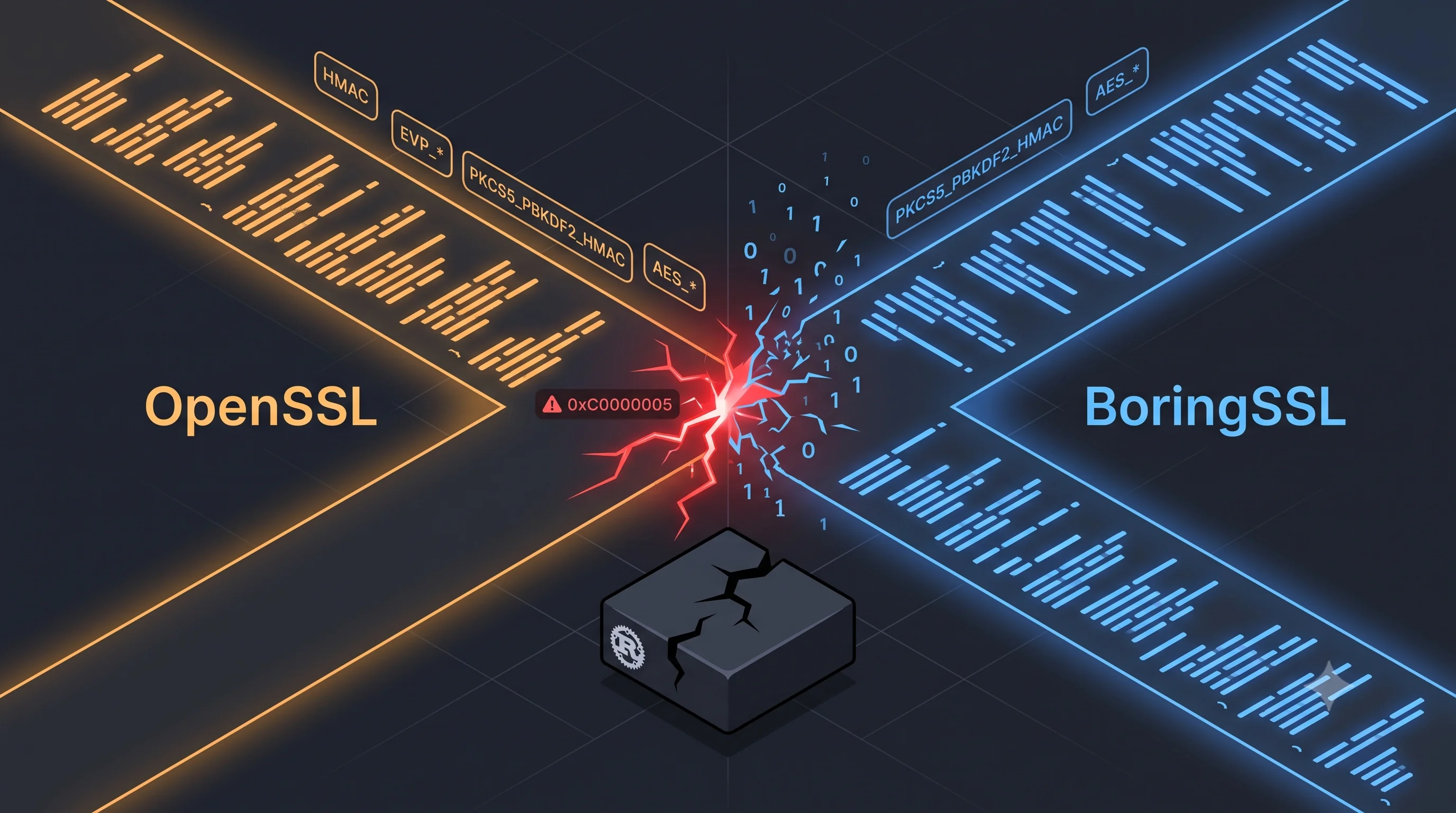
That separation lets me fix shared behavior once, while still handling the differences between platforms honestly. It also leaves real engineering work: native libraries must link correctly, keyboards behave differently, and background execution has different rules. I wrote about one of those problems in Two Cryptos, One Binary.
| Platform | Current position |
|---|---|
| Android | Current closed-alpha device testing; the screenshots and clips in this post are from real phones. |
| Linux | Active desktop development alongside Android. |
| Windows | Build support exists; feature coverage depends on the build. The cross-build configuration excludes LiveKit calls. |
| macOS | Desktop packaging exists; broader device validation is still needed. |
| iOS | App shell and Rust integration exist; the shared UI port is in progress. |
I am not presenting this as a finished release on all five platforms. Reusing code and reaching release quality on each platform are different milestones.
HTTP/3 over QUIC, with a fallback that works
The client supports HTTP/3 over QUIC for direct RPC connections. The Android build includes the QUIC transport, and the Go service exposes HTTP/3 alongside its TLS/TCP listener. The client probes QUIC reachability and prefers it when available, while retaining HTTP/2 over TCP when UDP is blocked or QUIC is unavailable.
QUIC provides independent streams without TCP’s cross-stream head-of-line blocking. It does not replace message-level encryption: HTTP/3 protects the transport, while Signal Protocol protects private message contents between clients.
Shield follows a separate route. Its onion connection uses a TCP stream through Tor, rather than direct QUIC/UDP. The HTTP/3 preference applies to eligible direct connections; it does not bypass Shield’s onion routing.
A wider layout on a tablet
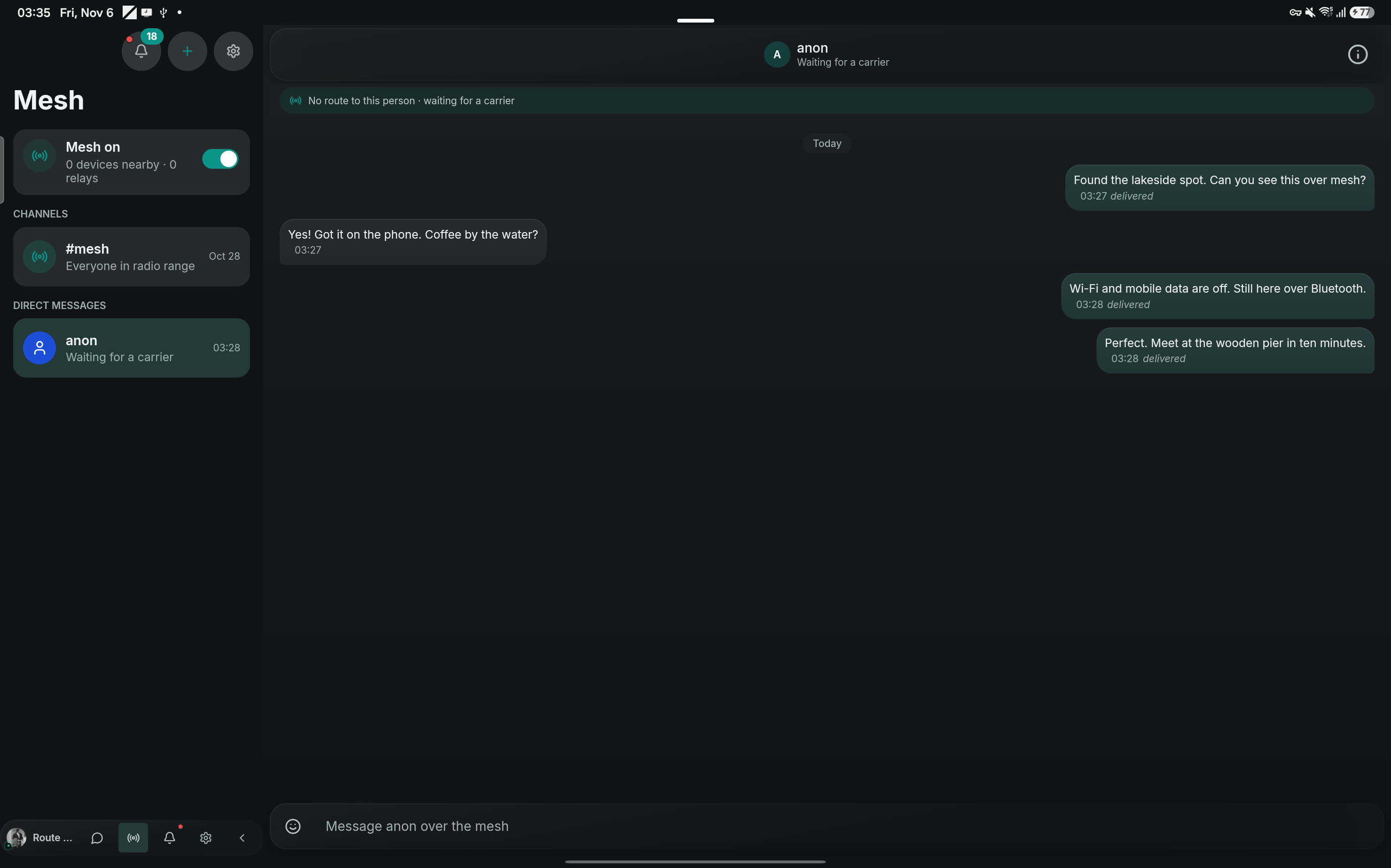
On a tablet, the conversation list stays beside the open conversation. These captures show a Samsung Tab S9 Ultra in landscape, using a development build and a fictional private mesh conversation. Use the Dark and Light controls to flip between the two real captures without leaving the article.
Mesh chat: a conversation without the Chatter server
Chatter also has a separate mesh messaging path. Nearby Android devices discover each other over Bluetooth Low Energy and can exchange messages without reaching the Go backend. For this demo I disabled Wi-Fi and mobile data on both my phone and tablet, then sent another message: it arrived over Bluetooth. The recording below shows that actual exchange.
The distinction between mesh conversation types matters. The public #mesh channel is readable by anyone participating within radio reach. Private mesh messages use Noise-based encryption, a separate protocol from the libsignal path used for ordinary private chats. Peer nicknames are self-asserted: compare identity fingerprints before treating a device as a verified person.
The Rust mesh implementation also includes forwarding, queued delivery and Nostr relay support. Relays require internet connectivity; Bluetooth itself does not. Availability depends on nearby participating devices, radio conditions, permissions and platform support. Mesh is not the same feature as Shield: Shield hides parts of the server-facing network path using Tor, while mesh provides another route for messages. Neither removes every metadata or physical radio observation risk.
The backend and the delivery path
The backend is Go, with Protobuf and Connect RPC defining the client/server API. PostgreSQL stores application records, Redis supports fast and transient coordination, and Temporal runs background workflows. Object storage holds uploaded media. The current deployment runs on OVHcloud in France, with containers and infrastructure configuration maintained alongside the application.
For an end-to-end encrypted conversation, the basic flow is:
- The sending client prepares and encrypts the message using the conversation’s cryptographic state.
- The backend handles submission, storage and delivery of the encrypted payload.
- The receiving client decrypts it locally and updates the conversation.
- Local history is stored in a SQLCipher-backed database.
The client uses the official libsignal libraries for Signal Protocol operations. Using an established cryptographic library is a foundation, not proof that every integration around it is correct. Device management, key changes, retries and group membership still need careful implementation and testing.
What “private” means here
There are several different boundaries, and they should not be collapsed into one slogan.
Private conversations require end-to-end encryption. The client refuses to fall back to plaintext when encryption is required and cannot be completed.
Public channels are a different mode. They can send plaintext message content to the service. TLS protects the network connection, but that is not end-to-end encryption against the server. Public-channel content should be treated as readable by the service.
Local database encryption protects stored history. It does not protect a conversation displayed on an unlocked device, and it is separate from the protocol used between devices.
Shield: protecting metadata as well as message contents
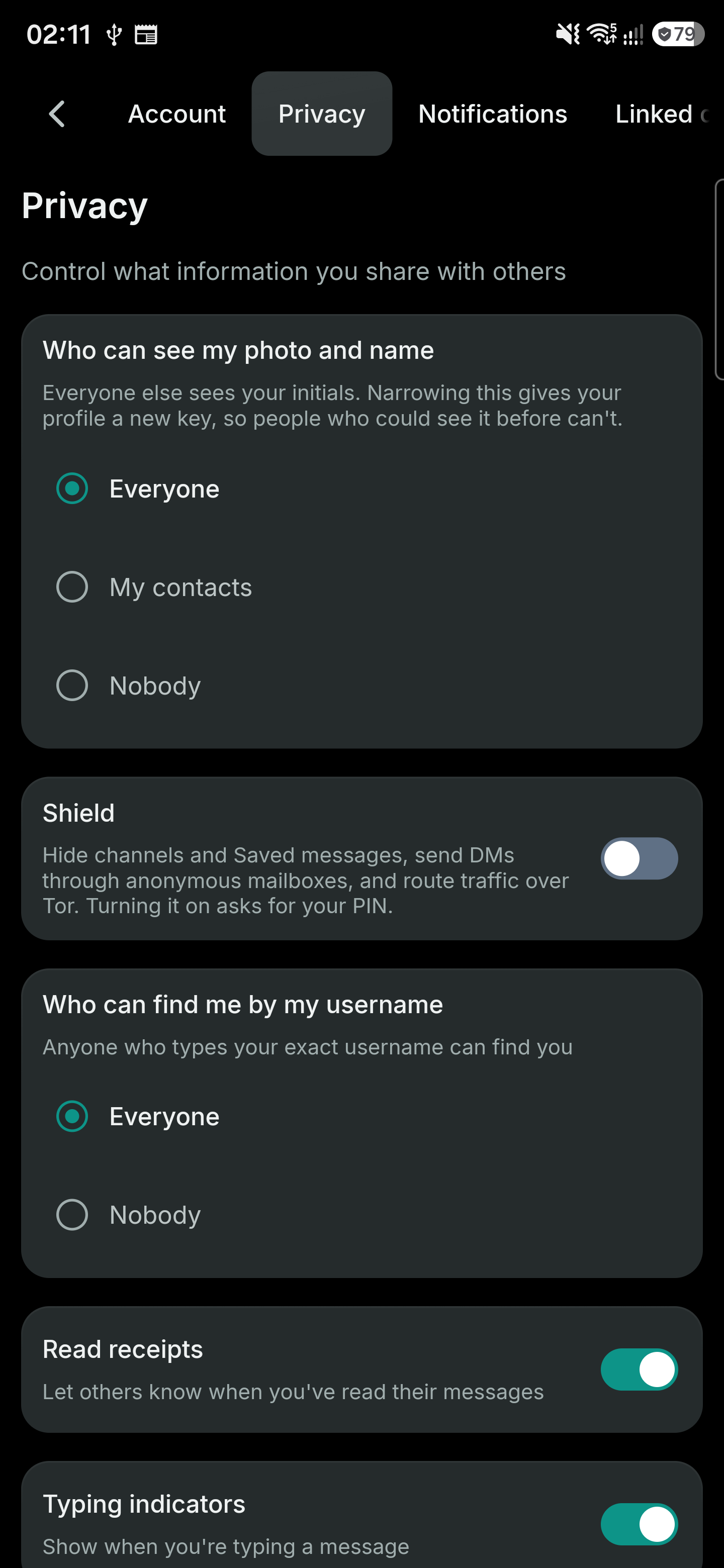
End-to-end encryption is one layer. Shield adds metadata protection through Tor onion routing and anonymous mailboxes. When it is enabled and connected, the client routes RPC traffic through Tor to the configured onion service, hiding the client IP from the application server. Attachment transfers also use Tor.
Anonymous mailboxes use blind-signed tokens to reduce linkage between account authentication and mailbox activity. Shield suspends direct account push and restricts third-party media fetches to avoid bypassing the protected route. These are concrete protections beyond encrypting the message body.
Shield is optional and resets on app restart. Its scope also matters: routing an authenticated request through Tor hides its source IP, but does not remove the account identity from that request. Timing, traffic volume and a small anonymity set remain relevant. The service still handles operational information about accounts, delivery, channels and calls. I describe these features as metadata protection, rather than promising zero metadata or immunity to traffic analysis.
This is also why I’m replacing the older product-page language about “zero metadata.” It was broader than the guarantees I can substantiate. The useful question is which information each mode exposes, to whom, and under which assumptions.
What comes before a wider beta
The next stage is about making the existing behavior dependable: reconnecting cleanly, delivering background notifications, preserving scroll position, handling calls across devices, and getting release and recovery procedures right. Privacy work also includes reviewing logs, retained metadata and key custody, not just selecting a cipher.
Chatter is in closed alpha, with platform support and the privacy implementation still developing. I am not claiming an independent security audit or suitability for high-risk communication at this stage.
To try the Android build, download v32 from GitHub Releases. To follow the project or share testing feedback, visit the Chatter page or contact me by email. The earlier engineering posts, including the shared-client journey, explain more of the implementation.
I’d especially like feedback on the everyday parts: what makes a conversation comfortable to use, how calls should fit into it, and what you would need before trying a new messenger with your own small group.
Comments
Join the discussion! Sign in with GitHub to leave a comment.